

MICROSCOPES AND SYSTEMS FOR IMAGE ANALYSIS / Software
BIOLOGICAL SOFTWARE FOR VIEWING, SHOOTING, IMAGE PROCESSING AND MEASUREMENTS


Olympus cellSens Entry Software
CellSens Entry is the ideal stepping stone for researchers wanting to move into digital image acquisition and documentation, providing all the tools needed for simple image acquisition.
The CellSens Entry package has the following features:
- customization of the user interface;
- displaying a group of documents for parallel comparison of images;
- movie playback;
- mosaic representation (several images in one data set are displayed next to each other);
- taking pictures/videos;
- Interactive 2D measurements (3-point angle, 4-point angle, arbitrary line, closed polygon, polyline and perpendicular line). An interactive 2D measurement option provides export capabilities to Excel spreadsheets.


Olympus cellSens Standard Software
The Olympus cellSens Standard software version builds upon the cellSens Entry package, taking acquisition beyond a single image, with advanced image capture processes (e.g. time lapse) and control of motorized and encoded microscope components.
The CellSens Standard package, having all the functions present in the CellSens Entry package, is extended with the following functions:
- Overlay multiple images;
- Automatic acquisition of images with specified time intervals (Time-lapse);
- Handling geometry/merging/filtering;
- Object counting (manual);
Interactive 2D measurements (origin, point, vertical and horizontal lines, rectangle, rotated rectangle, three-point and two-point circles, rotated ellipse).


Olympus cellSens Dimension Software
The most versatile member of the Olympus cellSens family is cellSens Dimension, featuring fully automated image acquisition, powerful analysis tools, and so much more.
The CellSens Dimension package, having all the functions present in the CellSens Entry and cellSens Standard packages, is extended with the following functions:
- representation of slices for viewing in the orthogonal plane of three-dimensional or frame-by-frame data sets;
- voxel viewer for isosurface and volumetric rendering of 3D and 4D datasets;
- creation of Z-stacks;
- graphic manager of experiments;
- manual creation of panoramic shots;
- automated creation of panoramic images (in the presence of a motorized table);
- simultaneous multicolor visualization (if there are two identical cameras or an image separator);
- elimination of blurring in real time and in post-processing;
- Interactive 2D measurements (freehand line, freehand area).
- high dynamic range image (HDRI);
- fluorescent bundle;
- kymograph;
- 2D deconvolution;
- phase analysis;
- Graphs of intensity versus time or depth (Z-shift);
- collocalization;
- cell counting and confluence measurement;
- automatic creation of MS Word reports.
Olympus LC micro software
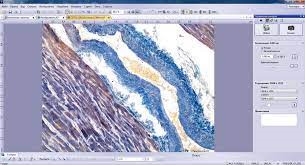
The Olympus LCmicro helps you create high-quality specimen images in just a few steps.
Read More
First, you can view the live image and adjust it optimally. The image is constantly updated, that is, if you move the table to a different position, it changes accordingly. You can activate or deactivate the live view function and take photographs of desired areas of the sample. This creates a digital image that can be stored and measured.
The program offers tools for processing received images and improving their quality, in particular:
- the ability to adjust the intensity or optimize the contrast;
- the ability to perform various image measurements and, for example, measure the length of a line.
Measurement objects are displayed on the measurement plane. Therefore, all information contained in the images is preserved. The measurement results are displayed in a table and saved with the image.
The program works only with LC_series cameras.
METALLOGRAPHIC SOFTWARE FOR VIEWING, SHOOTING, IMAGE PROCESSING AND MEASUREMENTS
OLYMPUS Stream™ software

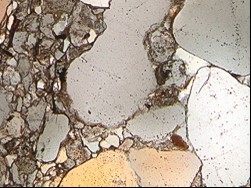
The OLYMPUS Stream™ software is a powerful and easy-to-use measurement tool specially designed for Olympus microscopes. The software offers intelligent step-by-step workflows to capture clear images, perform quantitative measurements, and generate professional reports in accordance with the latest standards. With OLYMPUS Stream™, users of all experience levels can perform sophisticated image analysis from acquisition to reporting results.
The software is flexible and has all the necessary features to conduct a series of fast, accurate observations of different samples, ensuring the safety and reliability of the data obtained. Users can use the OLYMPUS Stream™ for a variety of applications including quality analysis, scientific research, process development and quality control. OLYMPUS Stream™ software is available in four flavors with different feature sets: Start, Basic, Essentials and Motion.
| ■: Standard □: Optional | Start | Basic | Essentials | Motion | Desktop | |
| Image Acquisition | Basic image acquisition including HDR and auto-calibration of magnification and Live HDR, and position navigation | ■ | ■ | ■ | ■ | |
| Software autofocus and movie acquisition (Avi format) | ■ | ■ | ■ | |||
| Time lapse, Instant EFI, and Instant/Manual MIA | □ | ■ | ■ | |||
| Motorized EFI/MIA and Z-stack acquisition | □ | □ | ■ | |||
| Image and Customization Tools | Basic tool windows (Image history, properties, navigator, gallery view tool window) | ■ | ■ | ■ | ■ | ■ |
| Annotations, layer management, scale bar, cross hair, info stamp display, and image filters | ■ | ■ | ■ | ■ | ■ | |
| Digital reticle/grid, line profile display, My Function, layout management, and Macro Manager | ■ | ■ | ■ | ■ | ||
| Measurements/ Image Analysis | Basic interactive measurement (distance, angles, rectangles, circles, ellipses, polygons, circle-to-circle distance, angle ruler, and line ruler) and data export to MS-Excel | ■ | ■ | ■ | ■ | ■ |
| Phase analysis, magic wand, freehand polyline, interpolated polygon, morphology filter, and image arithmetics | □ | ■ | ■ | ■ | ||
| 3D measurements, 3D profile measurements, and 3D surface view | □ | □ | ■ | ■ | ||
| Reporting | Report creation (MS-Word, and MS-Excel formats) | ■ | ■ | ■ | ■ | |
| Presentation creation | □ | □ | □ | □ | ||
| Data Management | Stream document storage | ■ | ■ | ■ | ■ | |
| Workgroup Database with structured data format | □ | □ | □ | □ | ||
| Device Support | Olympus microscopes and Olympus cameras | ■ | ■ | ■ | ■ | |
| Non-Olympus cameras and image source converter | ■ | ■ | ■ | |||
| Non-Olympus stage controller | □ | □ | ■ | |||
Material-specific software modules can be added to the system to simplify multiple analysis procedures.
| Solutions | Compatiblity | ||
| Basic | Essentials/ Motion | Desktop | |
| Grain Intercept | □ | □ | □ |
| Grain Planimetric | □ | □ | □ |
| Non-Metallic Inclusions | □ | □ | □ |
| Cast Iron | □ | □ | □ |
| Chart Comparison | □ | □ | □ |
| Layer Thickness | □ | □ | □ |
| Coating Thickness | □ | □ | □ |
| Dendrite Arm Spacing | □ | □ | □ |
| Automatic Measurements | □ | □ | |
| Throwing Power | □ | □ | |
| Porosity | □ | □ | □ |
| Particle Distribution | □ | □ | □ |
| Advanced Phase Analysis | □ | Included | Included |